 Cherry Studio
8/13/26Less than 1 minute
Connect Cherry Studio to 4i.codes
Cherry Studio supports OpenAI-compatible APIs and can connect directly to 4i.codes.
Important
Create a 4i.codes API key before you begin. See API Keys and Access.
- Open Cherry Studio, select Settings, and open Model Services.
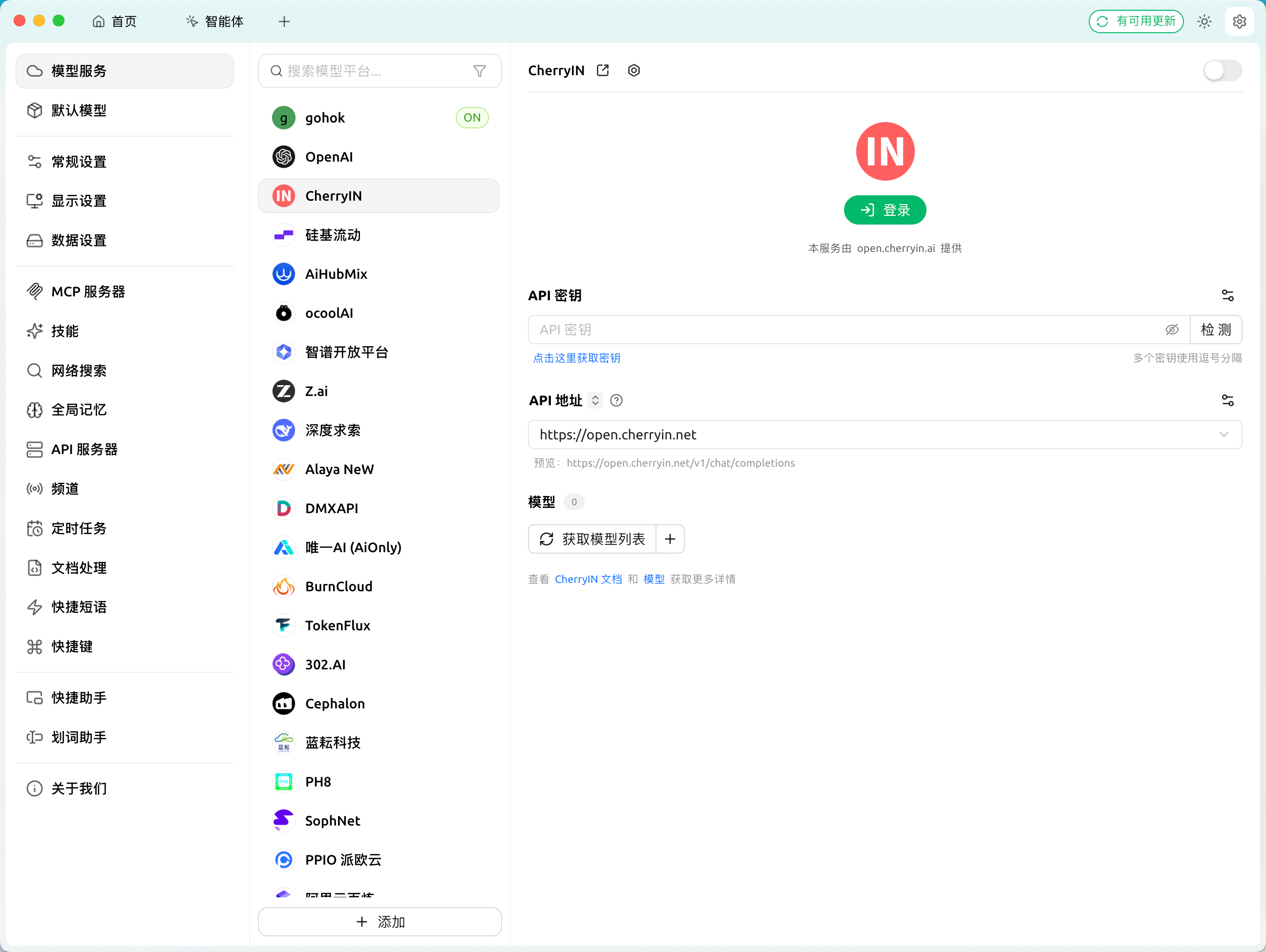
- Click Add at the bottom of the provider list.
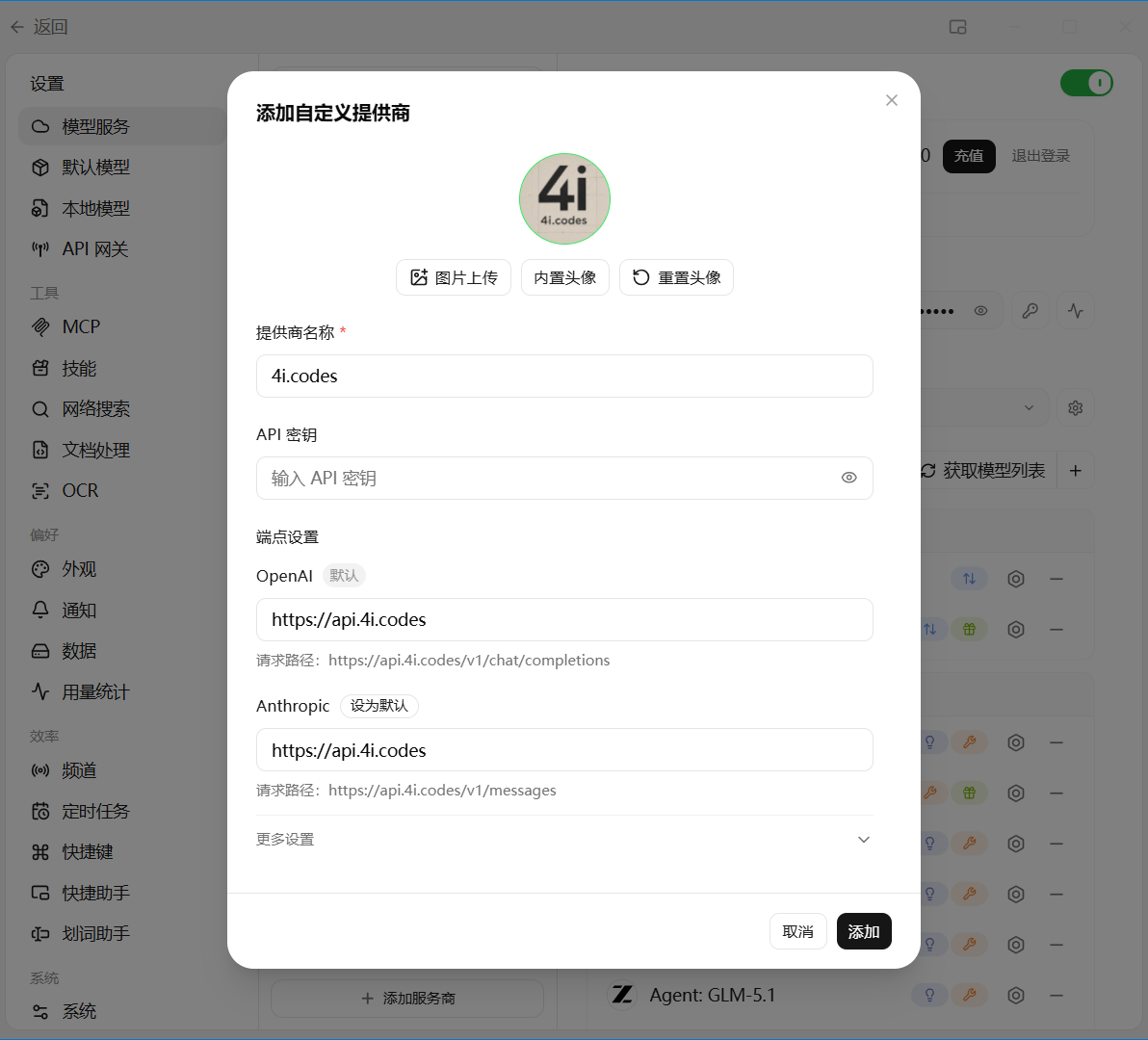
- Open the new
4i.codesprovider and enter:
- API key: your 4i.codes API key
- API address:
https://api.4i.codes
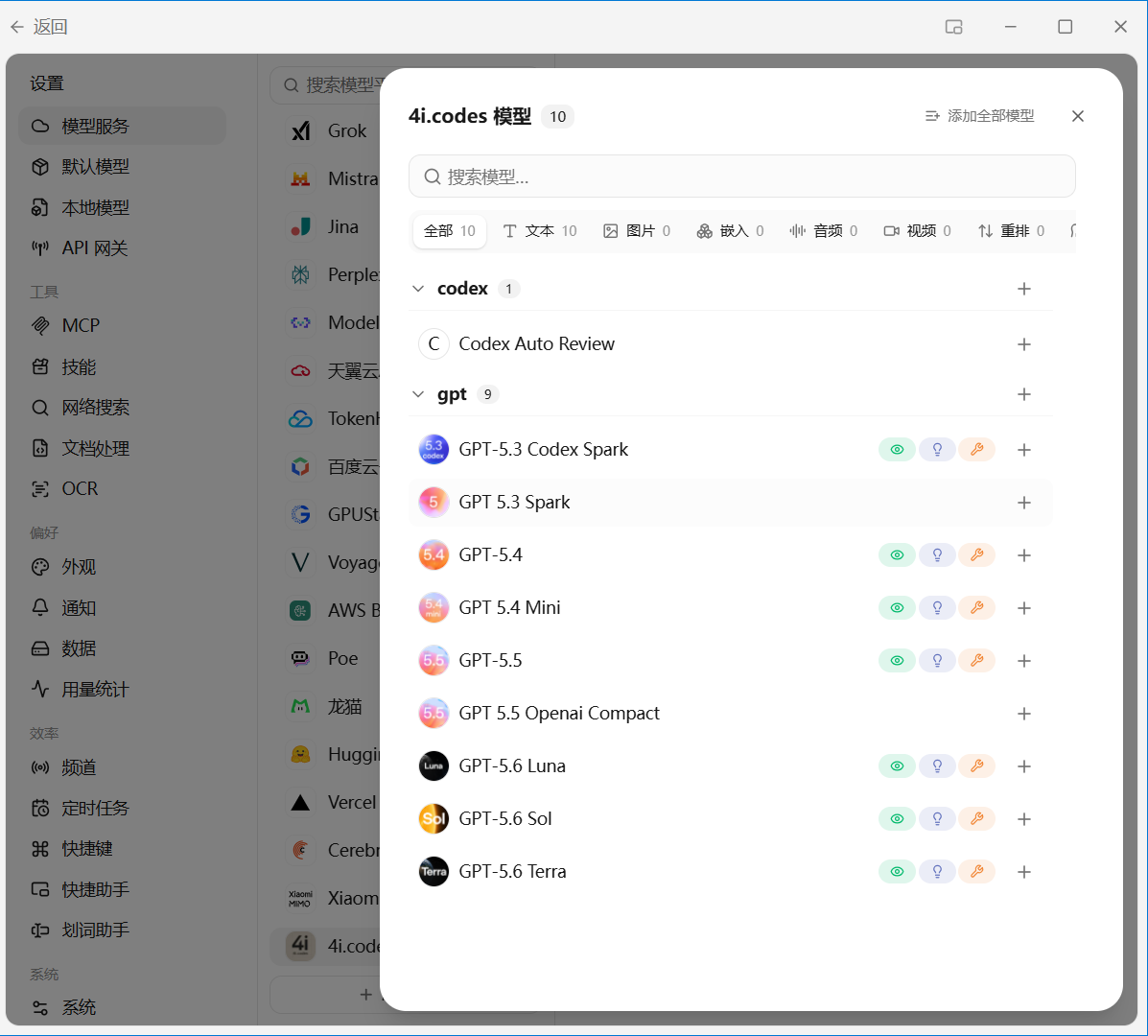
- Click Get model list and select an available model, such as
gpt-5.5.
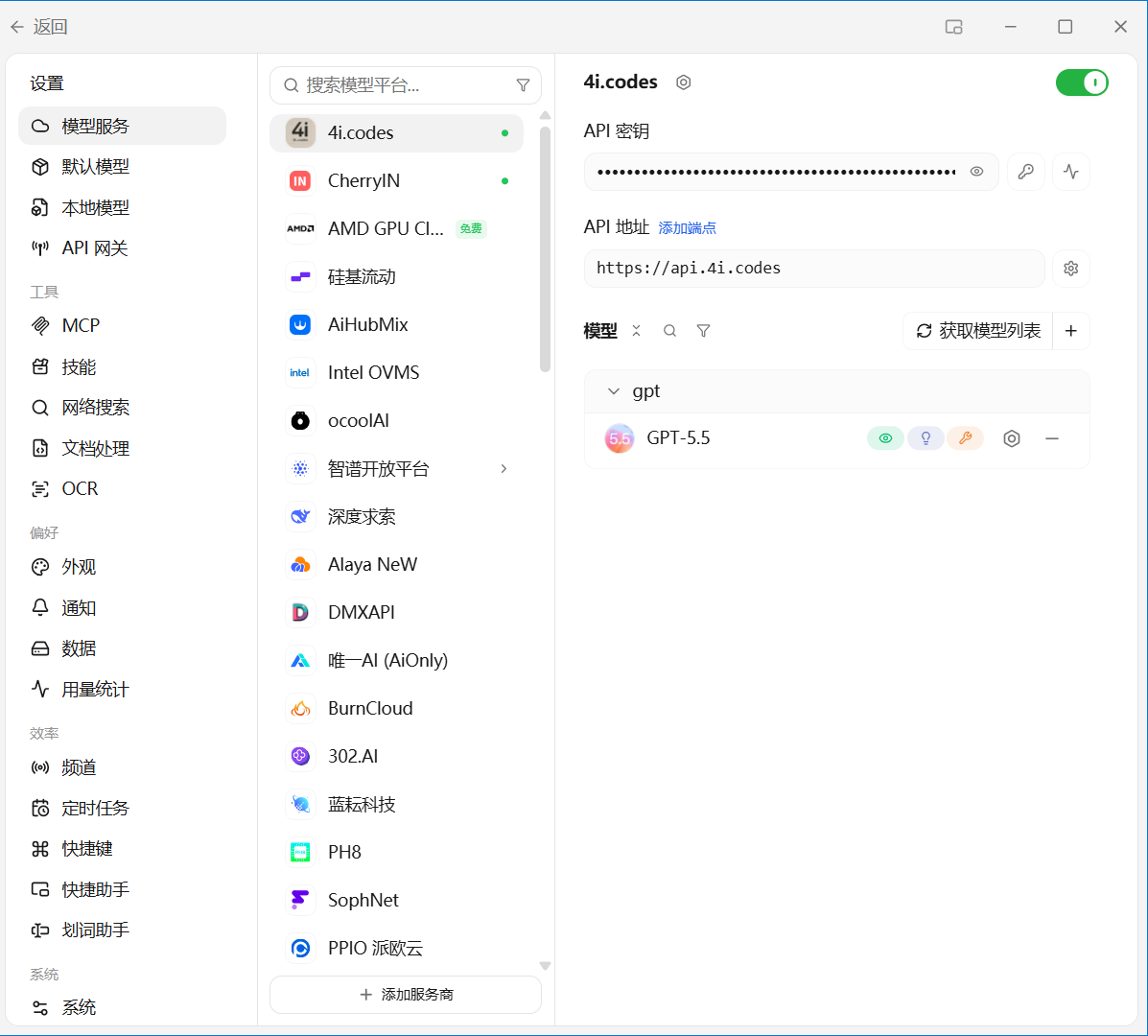
- Enable the provider and confirm that the selected model appears in the list.
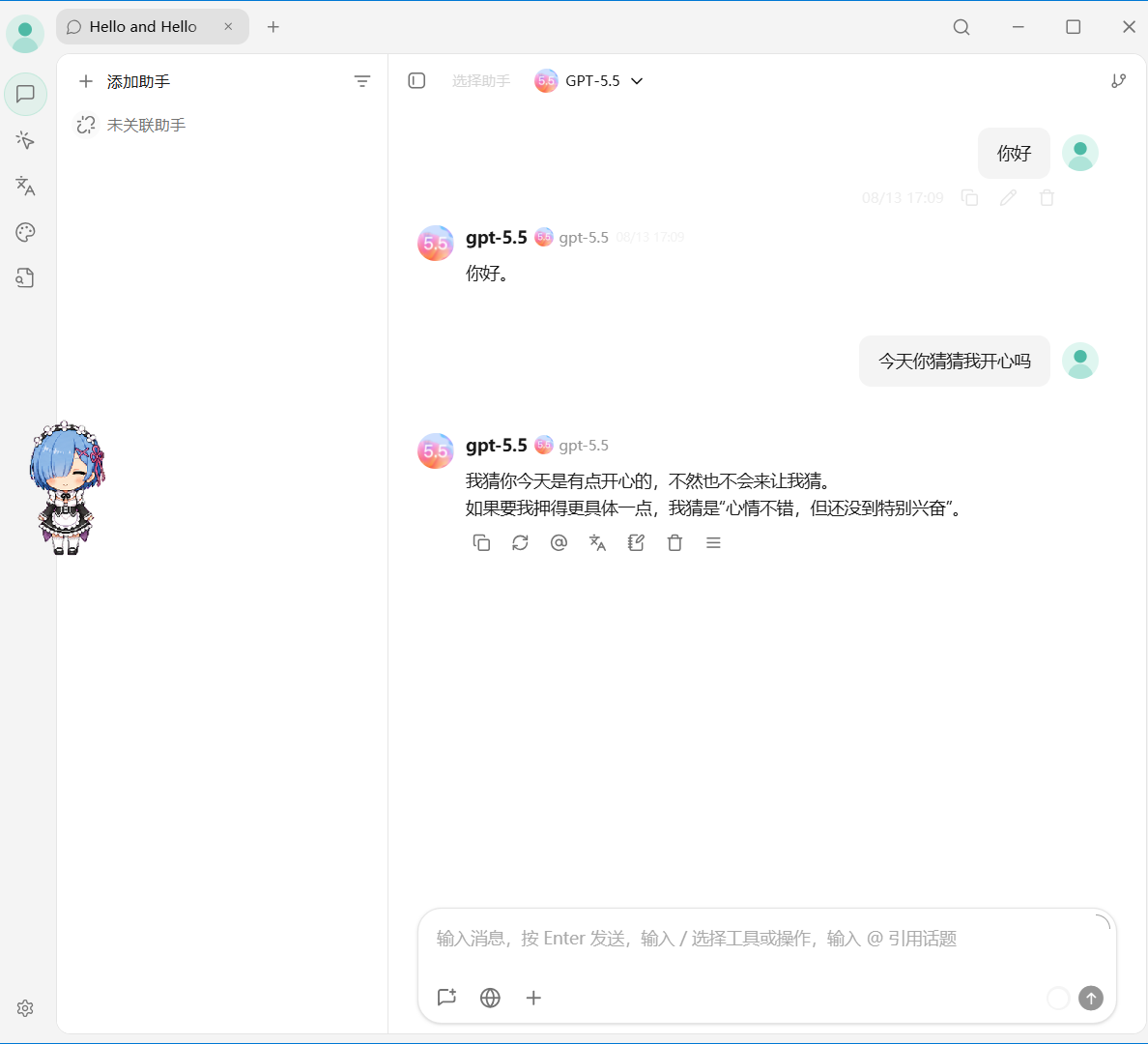
- Return to the Cherry Studio home page, select
gpt-5.5 | 4i.codes, and send a short test message.
If the model list fails to load, check the API address and key. If the model loads but requests fail, verify that the key's service group allows that model.