CC-Switch can convert requests from Claude Code to the OpenAI Responses API format and forward them to GPT models through its local routing service. After setup, you still start Claude Code with the claude command and use /model to view or switch the mapped models.
Before You Start
Make sure that:
- The latest version of CC-Switch is installed and running.
- Claude Code is installed and the
claudecommand works. - You have created an API key for a Codex service group in the 4i.codes console. See API Keys and Access for key creation details.
Important
You must use a key from a Codex service group, not a Claude service group. Treat the API key as a credential: never share it or commit it to a public repository.
Step 1: Add a Claude Code Provider
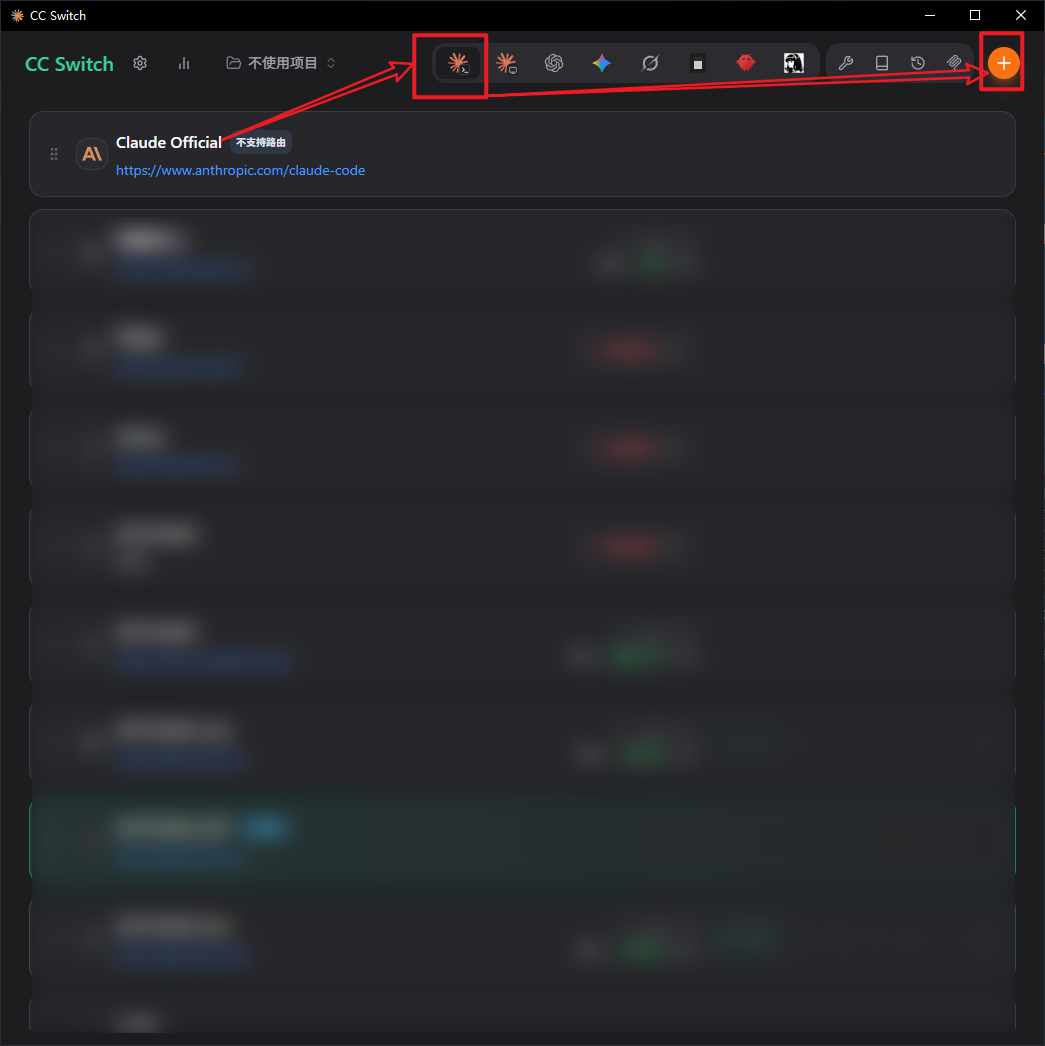
Open CC-Switch, select Claude Code in the top navigation, and click the + button in the upper-right corner to add a provider.
Make sure Claude Code is selected rather than Codex. Although this provider ultimately calls a GPT model, it receives requests from Claude Code and therefore belongs in the Claude Code provider list.
Step 2: Configure the Provider and Model Mapping
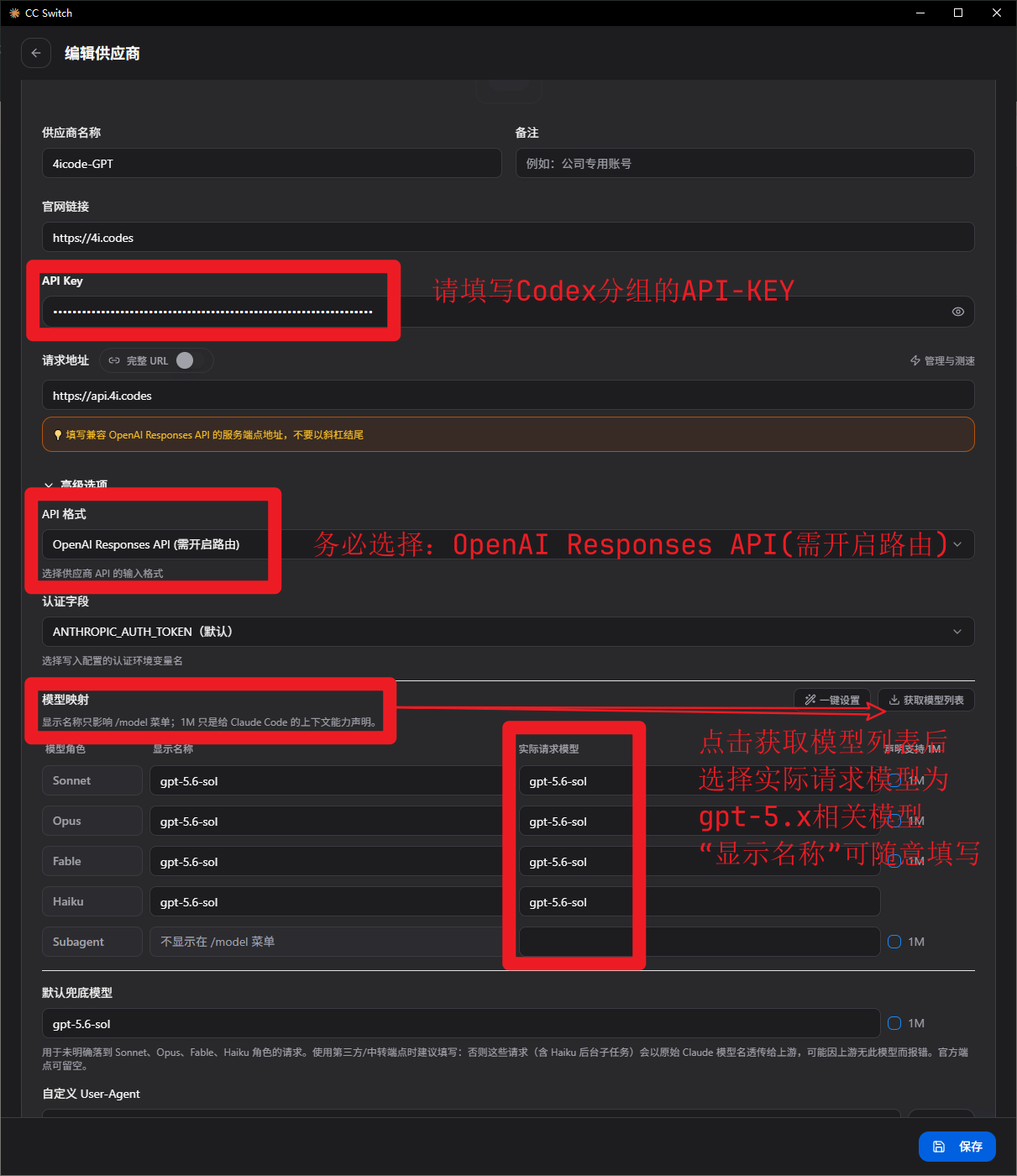
Enter the following values on the provider page:
| Field | Value | Notes |
|---|---|---|
| Provider name | 4icode-gpt | You can use another recognizable name |
| Website | https://4i.codes | Optional provider reference |
| API Key | A Codex service-group key | Create and obtain it from the key list in the 4i.codes console |
| API endpoint | https://api.4i.codes | Do not append /v1 or another path |
| API format | OpenAI Responses API (Routing Required) | This option requires CC-Switch routing to be enabled later |
| Authentication field | ANTHROPIC_AUTH_TOKEN (Default) | Keep the default value |
Warning
The API format is essential. Do not select the Anthropic API or OpenAI Chat Completions format. Select OpenAI Responses API (Routing Required).
Configure Model Mapping next:
- Click
Fetch Model Listin the upper-right corner of the model-mapping section. - For each role, select the GPT model to use under “Actual Request Model.”
- Map Sonnet, Opus, Fable, Haiku, and the default fallback to available GPT models. If you use Subagent, map it to a GPT model as well. To use one model consistently, map all of them to
gpt-5.6-sol. - The display name appears in Claude Code's
/modelmenu. It can be customized, but using the actual model name makes the mapping easier to recognize. - Review the configuration and click
Savein the lower-right corner.
Tips
Claude Code sends different types of requests using role names such as Sonnet, Opus, and Haiku. Model mapping determines which GPT model handles each role. The default fallback handles requests that do not match a specific role.
Step 3: Open CC-Switch Settings
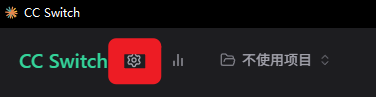
Return to the CC-Switch home screen and click the Settings icon next to the CC-Switch logo in the upper-left corner.
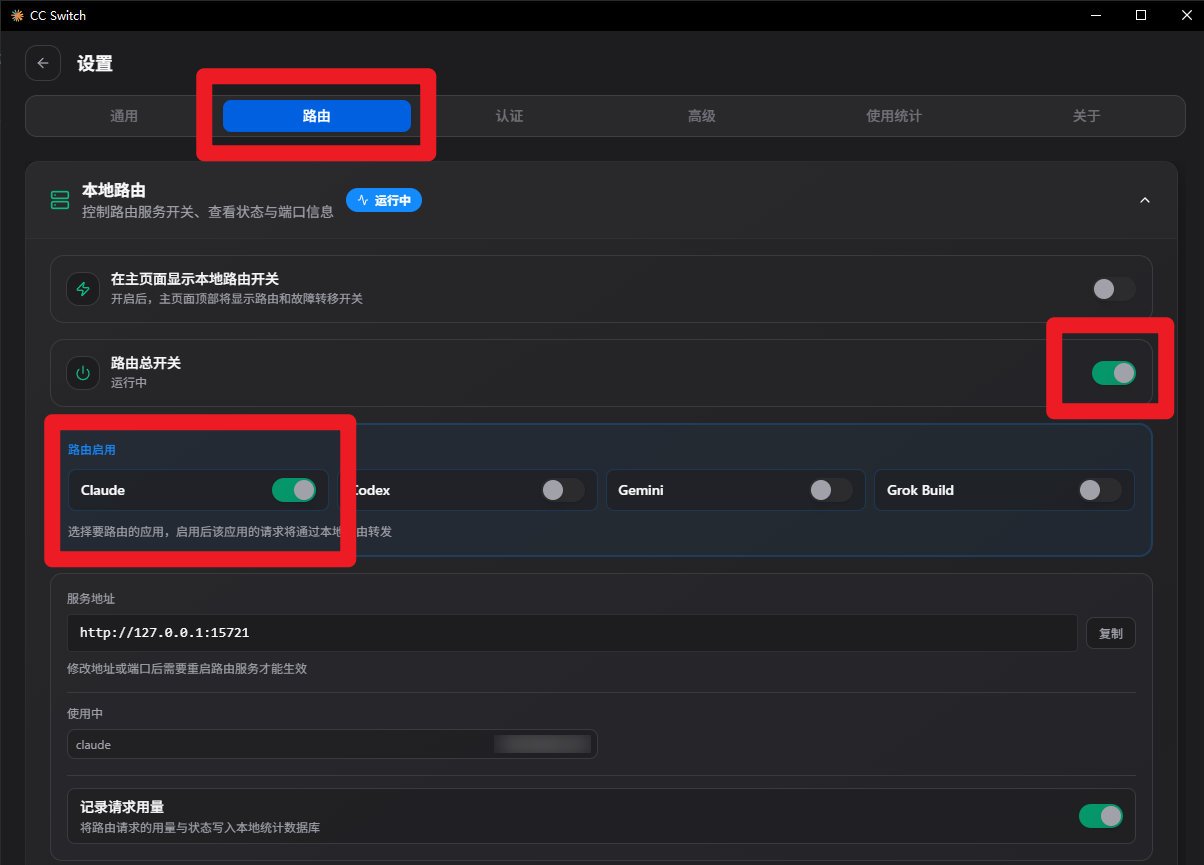
Step 4: Enable Claude Routing
Open the Routing tab in Settings, then:
- Turn on the
Routing Master Switch. - Turn on
Claudein the routing applications section. - Confirm that the local routing service shows a running status.
- Save the settings and leave the Settings page.
Both the master switch and the Claude switch must be enabled. CC-Switch must also remain running so that it can forward Claude Code requests through the local routing service.
Step 5: Verify the Model in Claude Code
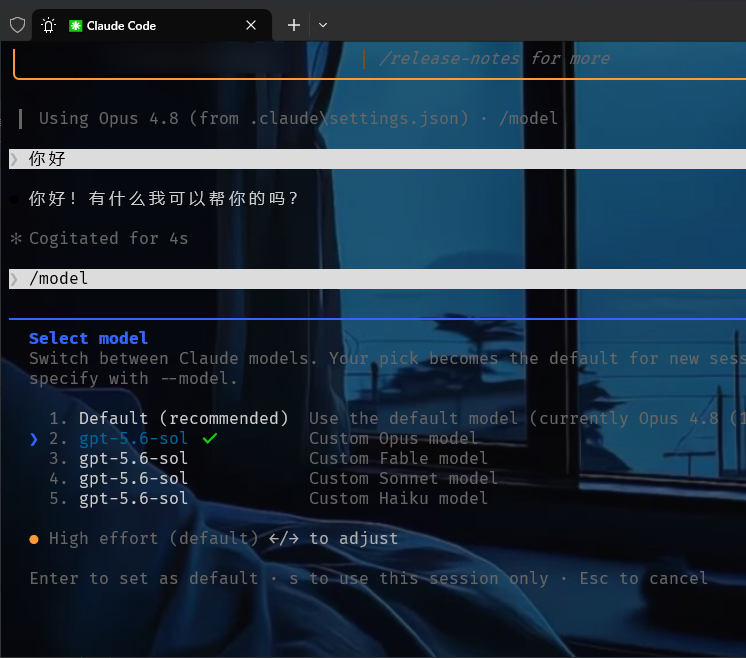
If Claude Code is already open, exit it completely and start it again:
claudeThen enter:
/modelThe model menu displays the names configured in Step 2. Select a GPT model and send a simple test message. A successful response confirms that CC-Switch is routing Claude Code requests to the selected GPT model.
Troubleshooting
The mapped GPT models do not appear in /model
- Confirm that the provider was added under Claude Code, not Codex.
- Confirm that both the display names and actual request models were saved in Model Mapping.
- If you use Subagent, confirm that it is also mapped to an available GPT model.
- Exit Claude Code completely and run
claudeagain.
Requests are not reaching a GPT model
- Confirm that the API format is
OpenAI Responses API (Routing Required). - Confirm that both the routing master switch and Claude routing are enabled.
- Keep CC-Switch running and verify that the local routing service shows a running status.
Authentication, model-not-found, or endpoint errors
- Use a valid Codex service-group key and confirm that the account has sufficient balance and access.
- Set the endpoint to exactly
https://api.4i.codeswithout/v1at the end. - Fetch the model list again and select a GPT model that is currently available.
Return to the original Claude models
Open Settings → Routing in CC-Switch and turn off Claude routing or the routing master switch, then restart Claude Code. To use another Claude provider, return to the Claude Code provider list and activate that configuration.